

Practical workflow
How to combine daily planning and notes
Use your planner for commitments and your notes for context. This simple boundary keeps today realistic while preserving the ideas, decisions, and reference material you will need later.
The short version: decide what deserves action, place only concrete actions in the planner, keep supporting material in notes, close the day deliberately, and review both once a week.
Give the planner and notes different jobs
A combined system works best when the two parts are close but not interchangeable. The planner answers what needs attention and when? Notes answer what do I know about this?
Put it in the planner when it is…
- a concrete action you intend to take;
- time-sensitive or assigned to a day;
- small enough to complete, move, or drop;
- something you want to see during a daily review.
Put it in notes when it is…
- background, research, or reference material;
- an idea that has not become a commitment;
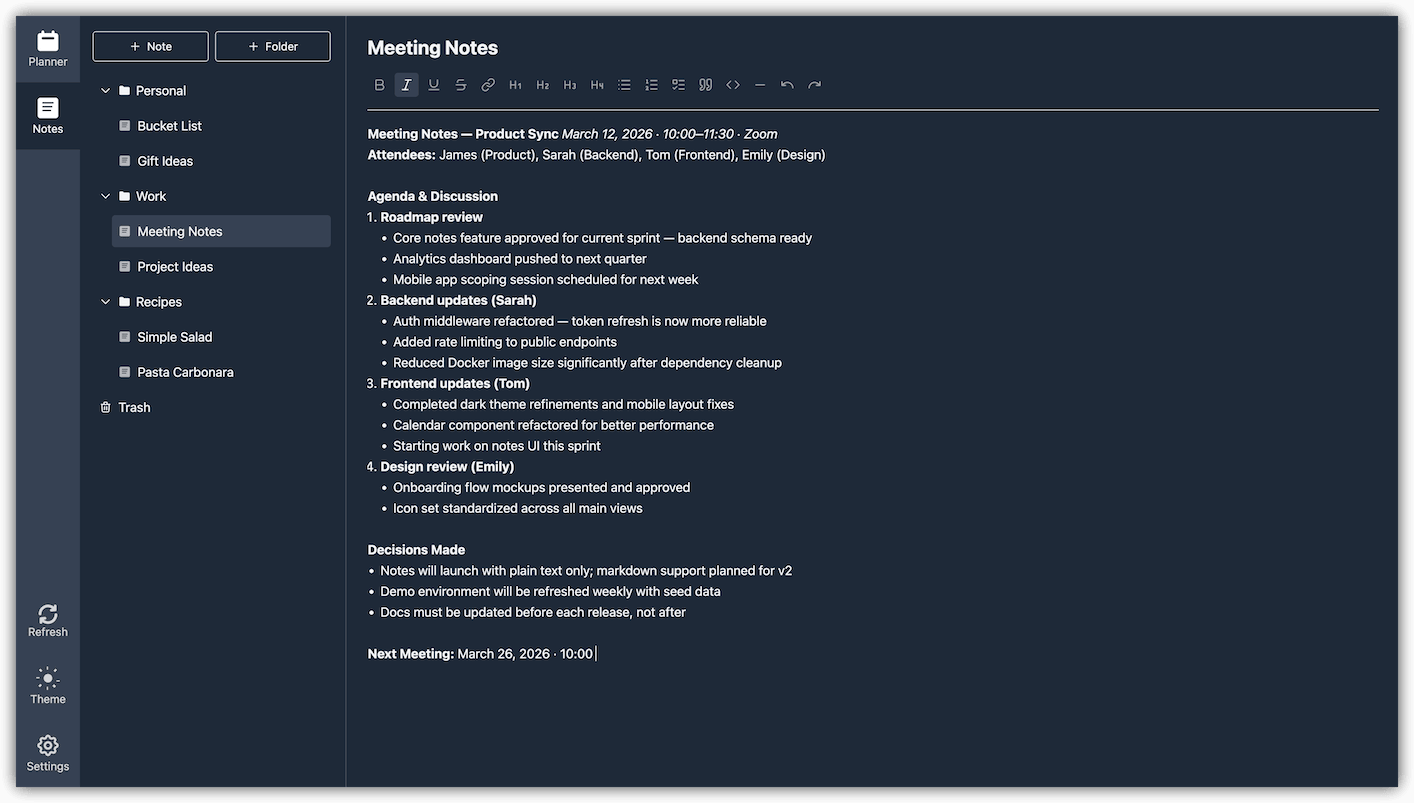
- meeting context, a decision, or a longer explanation;
- information you expect to reuse or search for later.
For example, “prepare the September report” is a planner item. The figures, outline, open questions, and final decisions belong in a report note. Keeping the action short makes the day scannable; keeping the context in a note prevents it from disappearing when the action is completed.
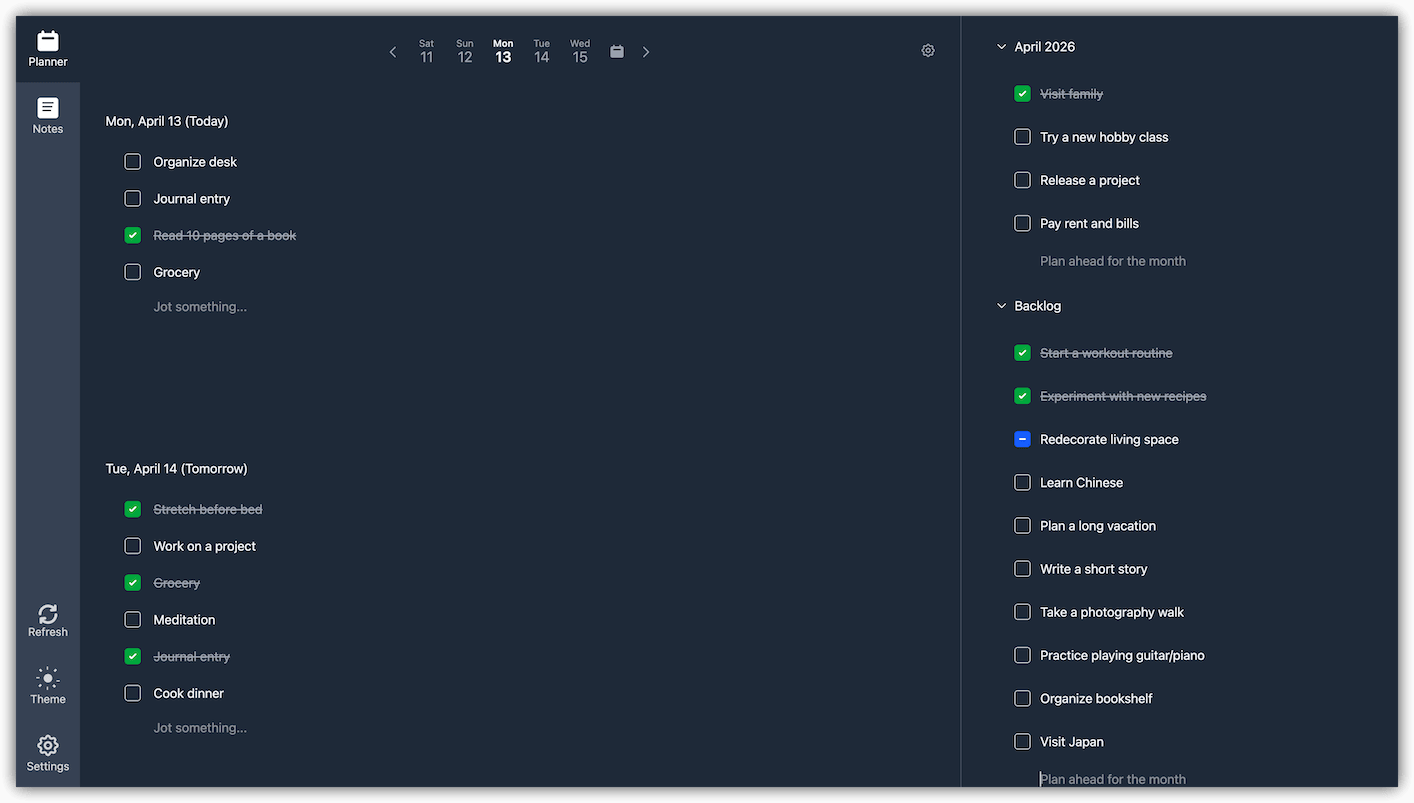
A five-step daily workflow
-
Capture first, classify second
When something arrives, write it down before deciding where it belongs. If it requires action, turn it into a short verb-led planner item such as “send revised proposal.” If it is context or an undeveloped idea, keep it as a note.
-
Choose a realistic day
Assign actions to the day when you can actually address them. Treat the daily list as a commitment, not a storage area. Longer-term actions can wait in a monthly or custom agenda until they are ready to schedule.
-
Start with a small set of priorities
At the beginning of the day, scan your list and identify the few outcomes that would make the day useful. A shorter list makes tradeoffs visible and leaves room for new work.
-
Keep working context in notes
Record decisions, drafts, useful links, and observations in a stable project or topic note. Avoid copying the same material into every daily item. The planner tells you to return to the work; the note helps you resume it.
-
Close the day deliberately
Complete finished items. Snooze or move work that still matters, and drop work that no longer does. Capture any reusable context in notes before closing an item so that the next review starts from a trustworthy system.
How I use this workflow in Perga
I built my own planning habit around a deliberately small daily list. The aim is not to fill every available space. It is to finish what I chose, see meaningful progress, and end the day satisfied rather than carrying an endless list forward.
Keep the day intentionally small
I add the minimum number of items I need for the day. A short, realistic list helps me finish on time and makes the result feel complete.
Plan before the day begins
I usually prepare tomorrow’s items in the evening. At the end of each month, I review what is ahead and add work to the agenda for the next month.
Enjoy closing the loop
Marking an item as completed gives me a small but distinct sense of satisfaction. That moment is more rewarding when the list was achievable from the start.
Give multi-step work its own agenda
For work with several stages, I create a custom agenda. It stays visible alongside daily planning, so I can keep the whole outcome in view and see progress without crowding a single day.
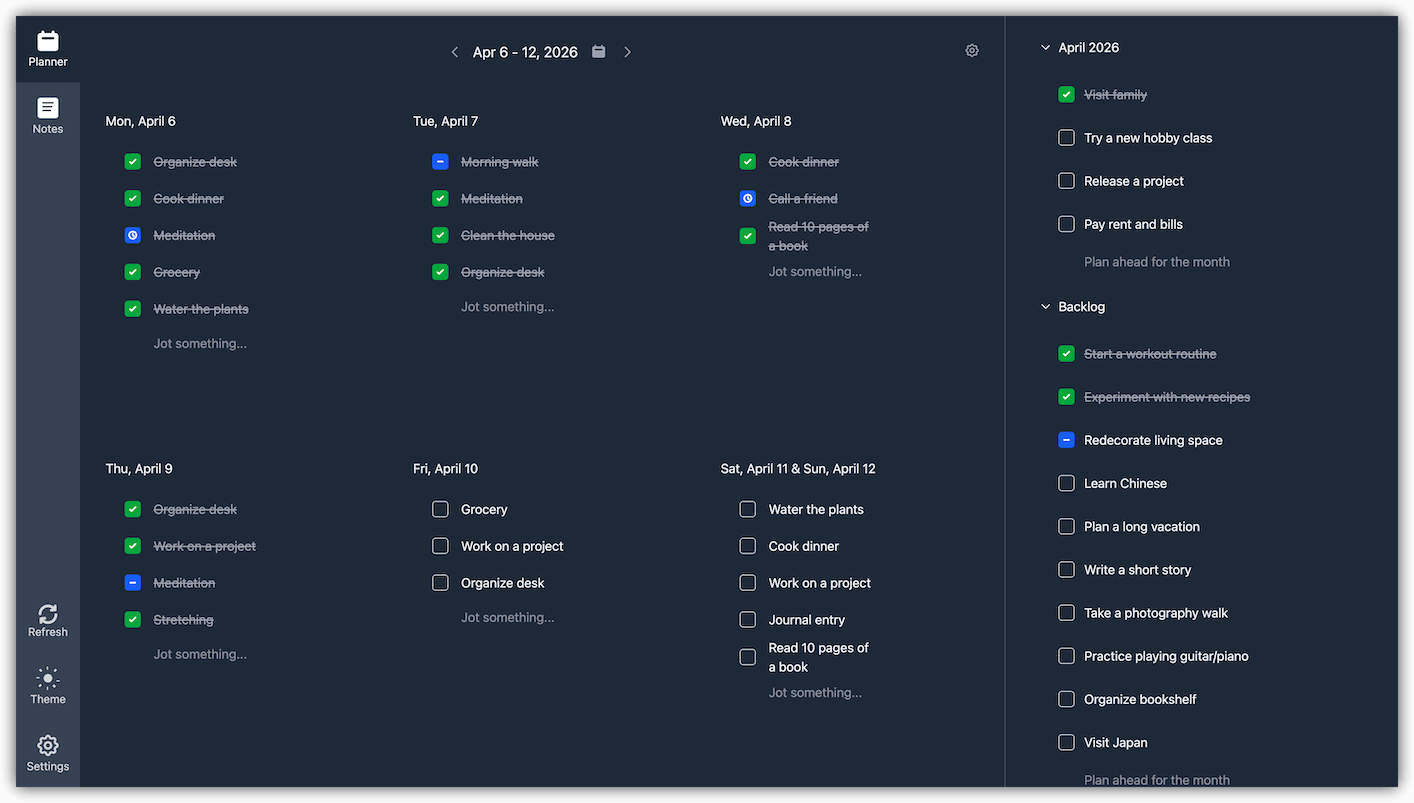
A simple weekly review
Once a week, step back from individual days. The goal is not to redesign your whole system; it is to restore confidence that your plans are current and your useful context is findable.
- Look back: scan the previous week for unfinished items and decide whether to move, snooze, or drop each one.
- Look ahead: review the next week and longer-term agendas for deadlines, preparation, and overloaded days.
- Process loose notes: rename vague notes, file material worth keeping, and remove temporary scraps that have served their purpose.
- Turn decisions into actions: if a note now implies a next step, add one clear planner item on a realistic day.
- Stop when the system is current: a useful review produces clarity, not perfect organization.
Common problems and simple fixes
Every idea becomes a task
Your planner grows faster than you can finish it. Keep uncommitted ideas in notes and promote only the ones you choose to act on.
Tasks contain all the context
Daily lists become hard to scan, and completed items hide useful information. Move durable context to a named note and keep the action concise.
Unfinished work rolls forward forever
Repeatedly moving an item is a decision signal. Make it smaller, schedule it honestly, return it to a longer-term agenda, or drop it.
Organization becomes the project
Use only the folders and agendas you can maintain. Add structure after repeated use shows that you need it, not before.
Perga puts a daily planner beside organized notes, without requiring you to build a system from templates or plugins. Explore the public demo without signing up.
Prefer to run the workspace yourself? Read about self-hosting Perga.