

Perga Capture for Chrome
Save what matters.
Keep the source.
Turn selected text, useful links, and your own comments into organized Perga notes without interrupting your reading.
Free browser extension · Chrome and compatible Chromium browsers
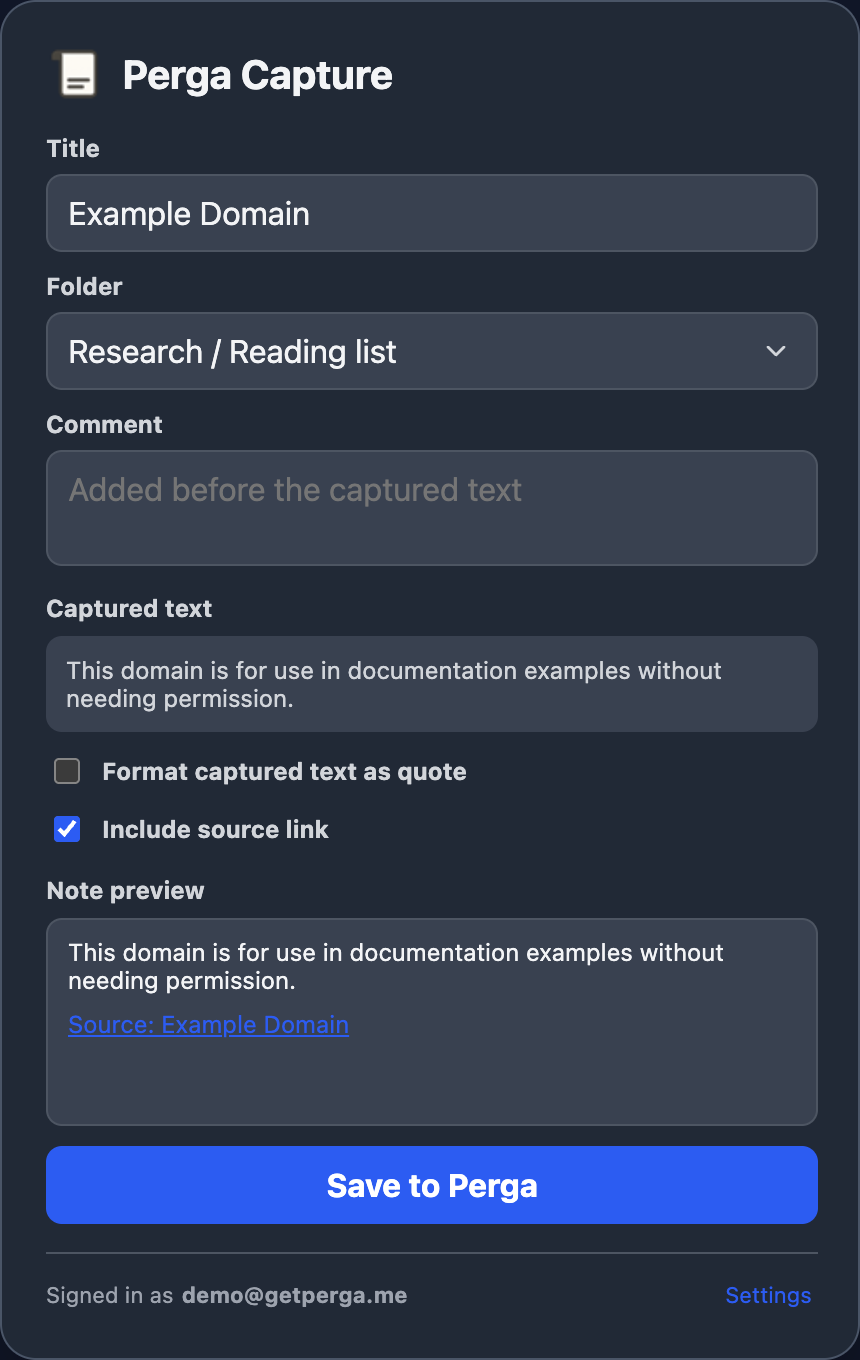
A three-step capture
From a useful passage to an organized note
Open Perga Capture from the toolbar, with Alt + Shift + P, or from the page context menu.
-
1. Select what you want to keep
Highlight useful text on the current page. Perga Capture picks up the selection, page title, and URL after you open it.
-
2. Review and organize the note
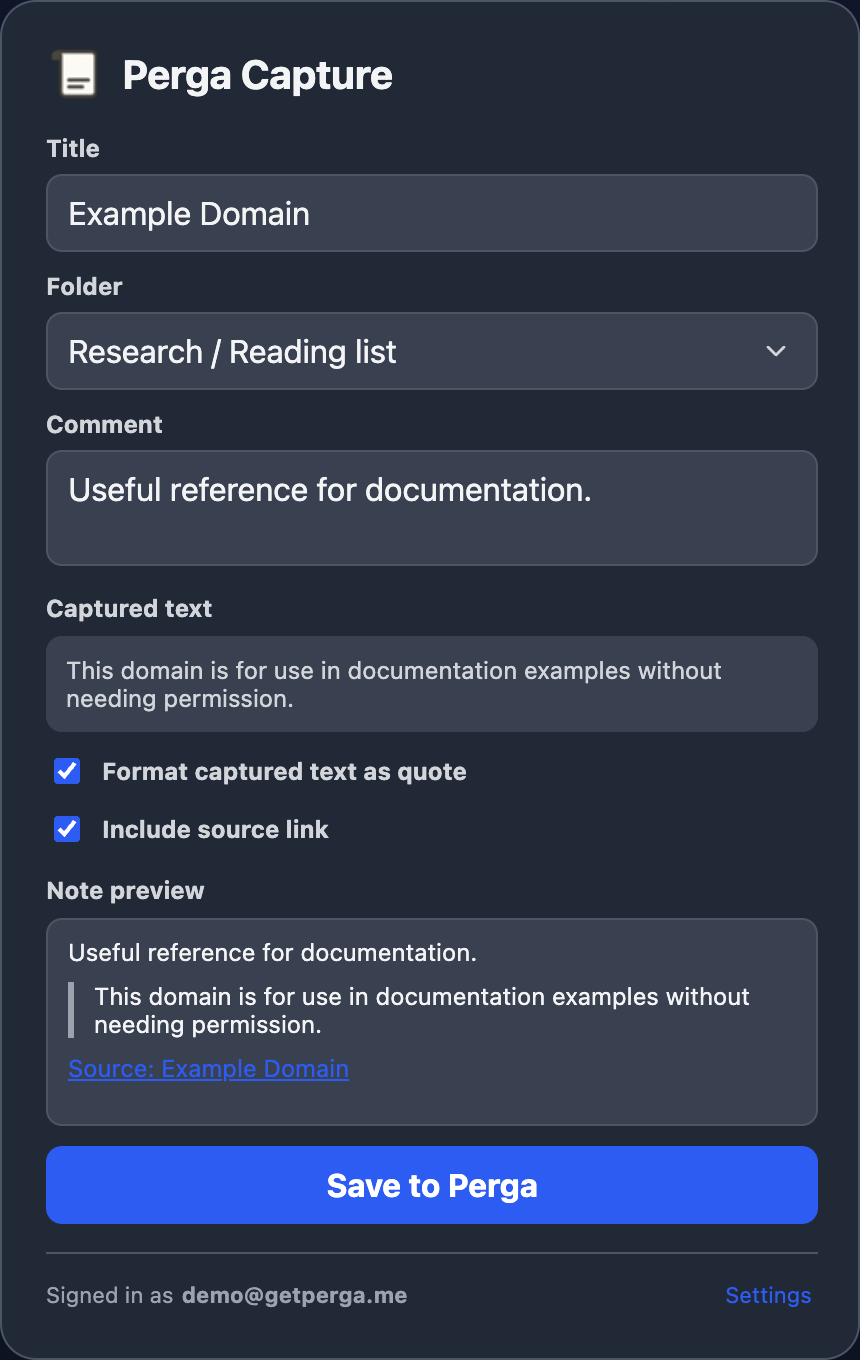
Edit the title, add a comment, choose a destination folder, and decide whether to format the selected text as a quote.
-
3. Save and continue reading
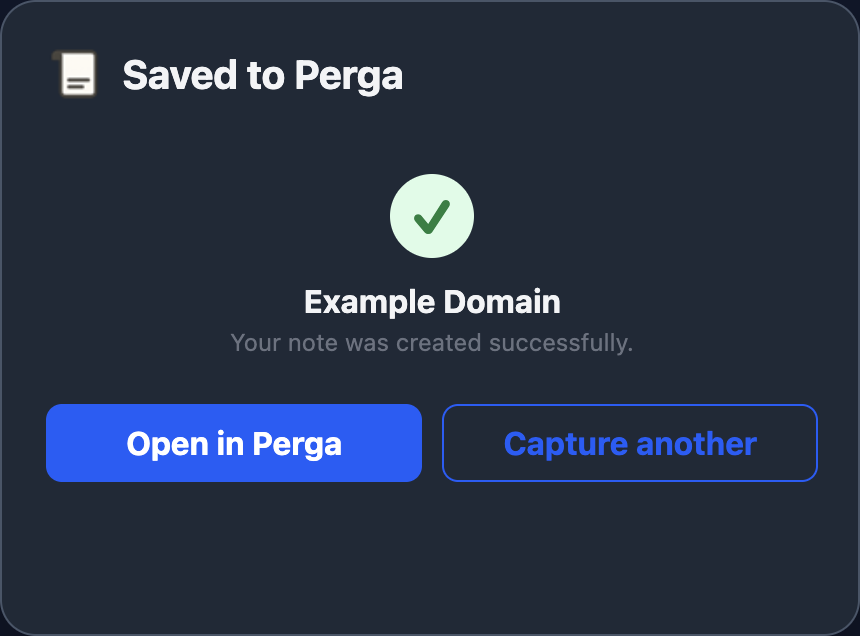
Send the reviewed note to Perga, open it there when needed, or capture another source without leaving your browser workflow.
You stay in control
Review every note before it is sent
The preview shows the note exactly as it will be organized: your comment, the captured passage, and a link back to the original page.
- Edit the note title and comment
- Include or remove the source link
- Format selected text as a quote
- Keep the form intact if saving fails
Private by design
Page content moves only when you ask
Perga Capture reads the current page title, URL, and selected text only after a user action and your page-capture consent. Opening the preview does not transmit the captured page content.
The reviewed note is sent only after you choose Save to Perga, and only to the Perga API selected in the extension settings.
Perga Capture does not
- read your browsing history or cookies;
- capture other tabs or pages in the background;
- save passwords entered on webpages;
- include advertising, analytics, or tracking SDKs;
- sell or share captured content with advertisers.
Ready where you need it
Keep reading now. Return to the note later.
The saved note lands in the Perga folder you chose, with its context and source intact. Open it immediately or continue capturing without losing your place.
Add Perga Capture to Chrome
Connect it to Perga Cloud or your own self-hosted Perga server.