

Plans and context, one workspace
Keep your daily plan and organized notes together
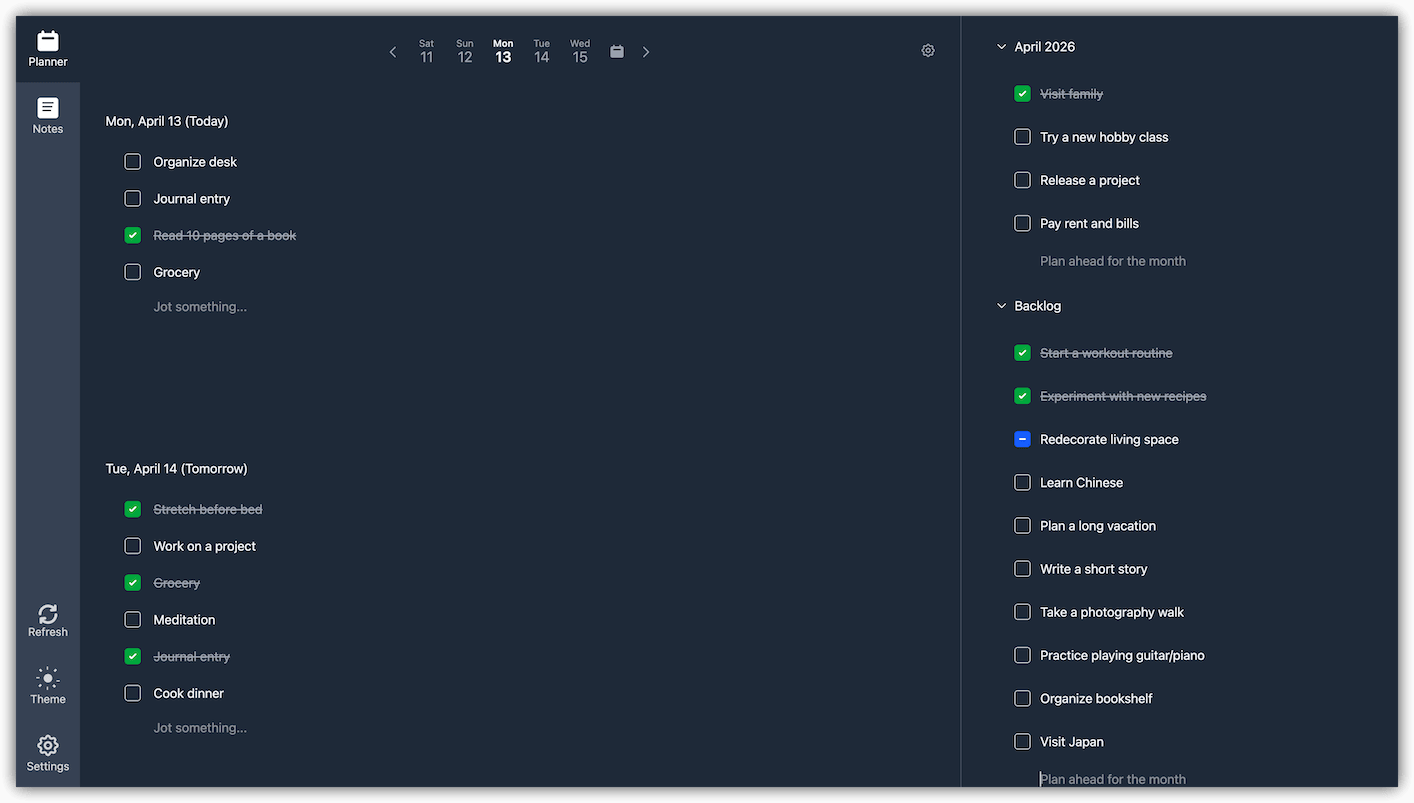
Use the planner for actions tied to a day. Keep research, decisions, drafts, and reference material in notes that remain useful after the task is done.
Perga keeps planner items and notes in separate areas of the same workspace. It does not currently link a planner item directly to a note or turn note content into tasks automatically.
Two different jobs
Keep actions brief and context durable
A task list becomes hard to scan when every item carries a full project history. A notes app becomes noisy when every thought is treated like an obligation. Perga gives each kind of information a clear home.
Planner
What you intend to do
- concrete actions for a particular day;
- daily and weekly workload;
- monthly and custom agendas;
- completed, snoozed, and dropped work.
Notes
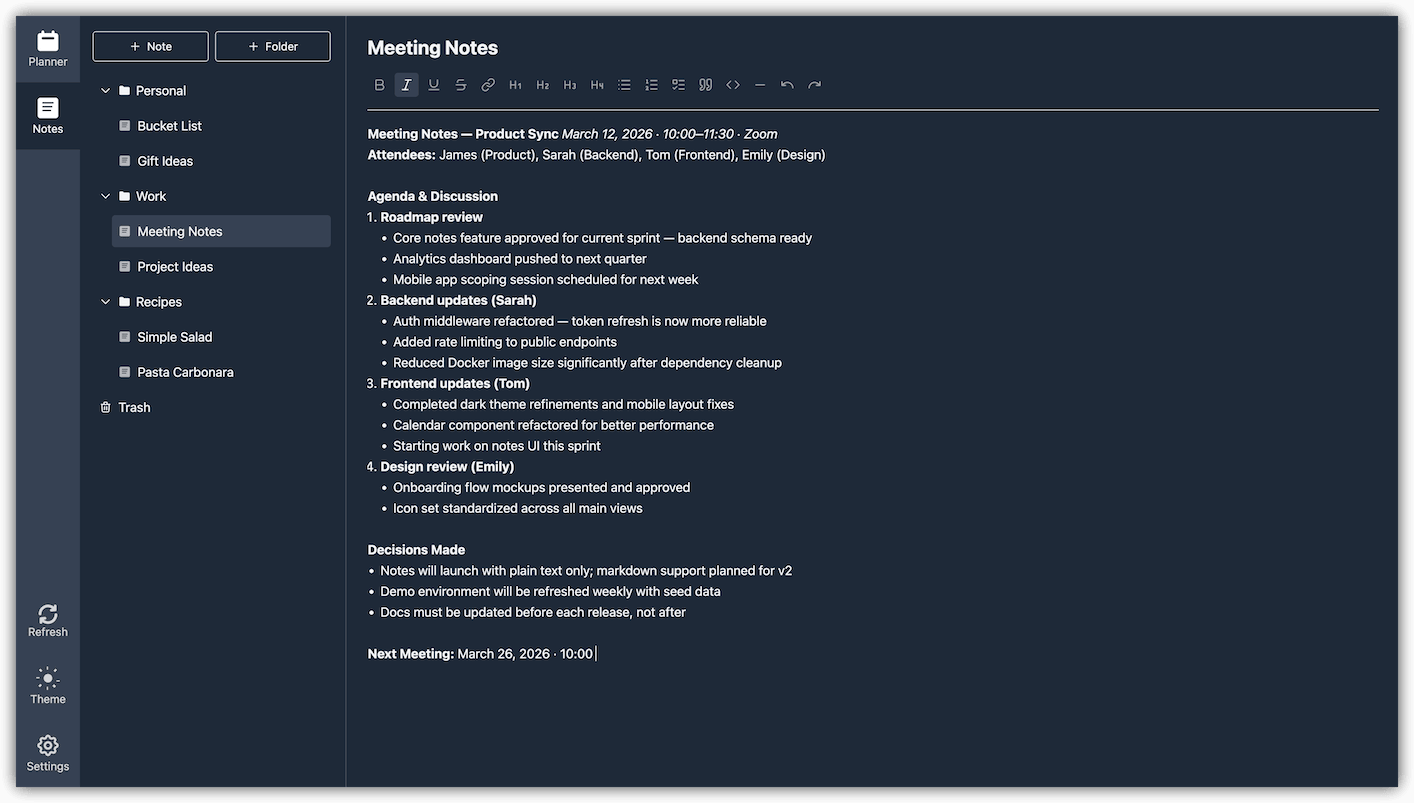
What you want to keep
- research, decisions, and meeting notes;
- drafts and longer explanations;
- reference material organized in folders;
- content you can search, import, and export.
The next action
Plan the work on a day you can do it
Keep planner items short enough to scan. Move unfinished work honestly, use agendas for later commitments, and review the week before choosing what belongs today.
The supporting context
Keep useful information after the action is complete
Write rich-text notes, arrange them in folders, and find them with full-text search. Import compatible Markdown, HTML, or plain-text files and export notes when you need a portable copy.
A lightweight workflow
Move between planning and notes without merging them
-
Capture the outcome in a note
Collect research, decisions, links, and draft material under a name you will recognize later.
-
Put only the next action in the planner
Schedule a concise step on a realistic day instead of copying the entire note into a task.
-
Use the weekly view to rebalance commitments
Review unfinished items and move work before a busy day becomes overloaded.
-
Keep the note when the task disappears
Completing or dropping an action does not bury the durable context in task history.
Product boundaries
A focused personal workspace, not a connected project system
Included today
- daily and weekly planner views;
- monthly and custom agendas;
- hierarchical rich-text notes and search;
- managed Cloud and self-hosted deployment.
Not included today
- direct task-to-note relationships;
- collaborative workspaces or task assignment;
- calendar synchronization or time-blocking;
- native mobile and desktop applications.
Evaluate both parts
Try planning a day and writing one useful note
The public demo requires no account. If the workflow fits, Perga Cloud starts with a 7-day trial, or you can self-host the MIT-licensed edition.